
Anyone in your Slack team can update the payment method you use on your Gator subscription. To do so, you'll start by opening the Gator billing portal.
In Slack, run the "/gator billing" command. The response will include a link to your organization's Gator billing account. When you open that link, you'll see a page like this:
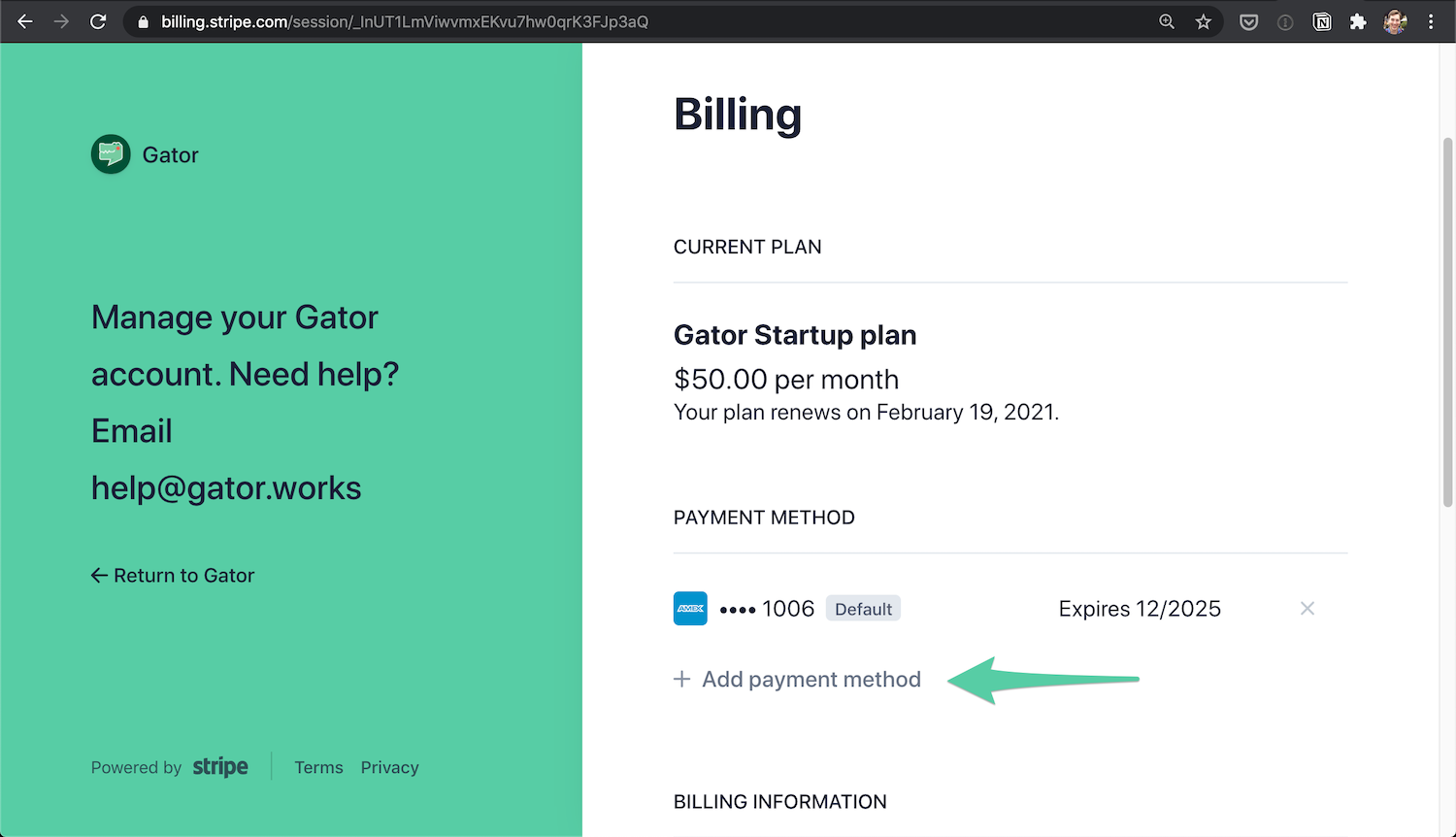
Click the "Add payment method" button to add your new credit or debit card. When you're finished, click the "x" next to your previous payment method. Gator will now use your new payment method, starting with your next billing cycle.
Need more help? Email us at help@gator.works.